Products and license terms
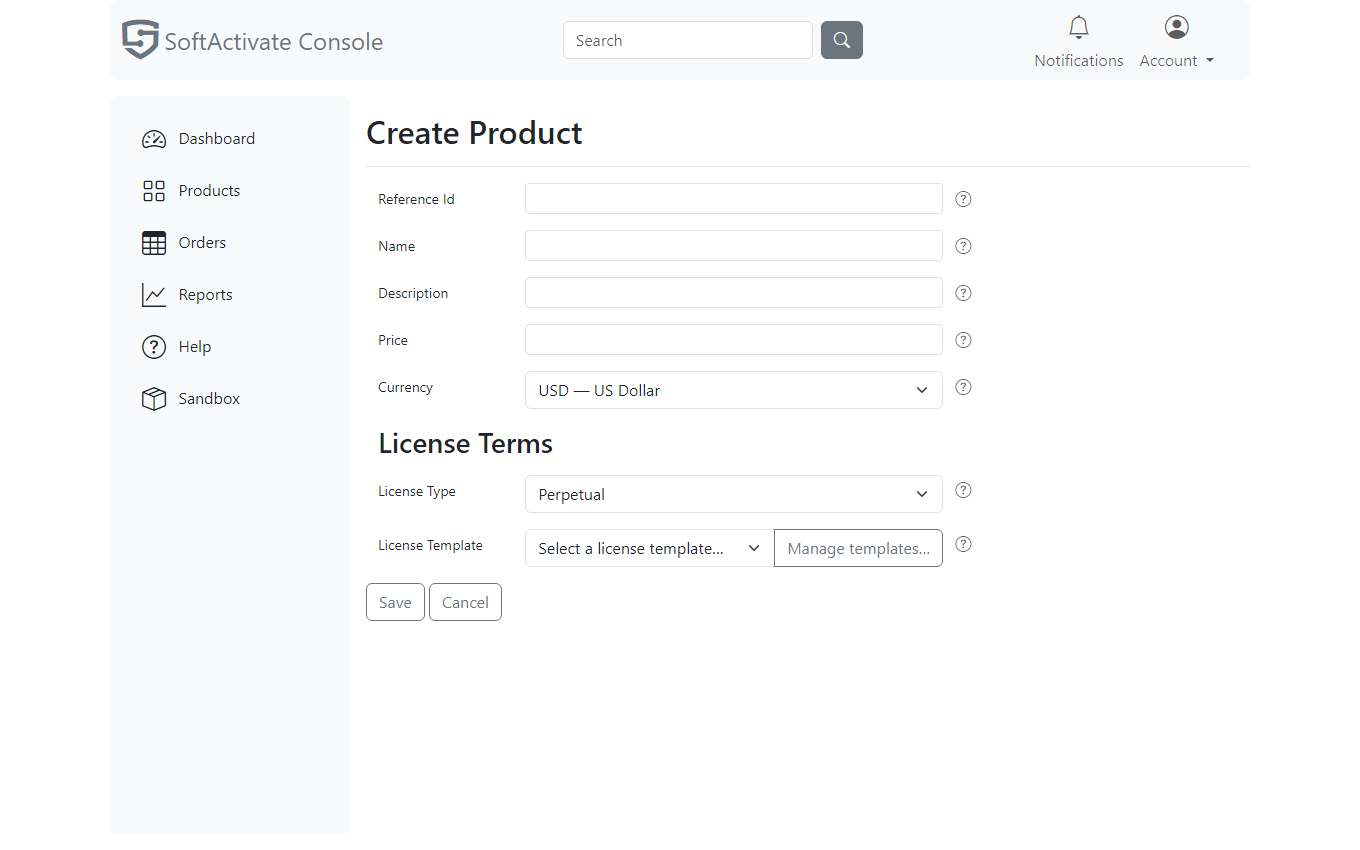
A product is the complete description of what you sell: its name and reference id, its catalog price, and its license terms. The terms come from a license template picked on the product form; templates are created and managed on the templates page, one click away behind the Manage templates… button.
The commercial fields
- Reference Id - your own SKU reference (for example,
PRO_EDITION- letters, digits and underscores). Customers see it on receipts, and orders and licenses reference it. Activations stamp it into the license as the product binding your application declares withset_product_id()- the product page shows it with a copy button for exactly that paste. It is fixed after creation. - Name / Description - what customers see.
- Price / Currency - the catalog price. It prefills manually created orders (quantity × price, editable there), and it is the price the Stripe catalog sync publishes for online checkout. After you change a price, run the sync again so online checkout charges the new amount. An order's recorded total is always what the operator or the payment provider said at the time, never a silent recomputation.
The license types
The license type is a property of the license template: the template picker lists every template labeled with its type (for example, "Pro yearly - Subscription, Floating"), and picking one sets the product's type in the same step. When you author a new template on the templates page, the License Type selector appears with the rest of the fields:
- Perpetual - a one-term license: paid once, never billed again. You can give it a duration (days) for a fixed term; short-lived terms are how you model trials. Leave the duration empty for a true perpetual license.
- Subscription - licenses renew each billing period (through Stripe or PayPal) and expire, after the grace period, when payment stops. The billing period and grace days live here with the rest of the license terms (subscriptions guide).
Floating is a checkbox available under both license types. Checking it turns licenses into concurrent-seat licenses: N simultaneous seats shared by any number of devices, held by renewable leases. The lease duration is the setting that matters most (the console enforces a minimum); the floating licenses guide covers how to choose it.
The form only shows fields that fit together: subscription settings appear only for the Subscription type, and the offline activation opt-in is offered only for perpetual, non-floating licenses, since an offline device can neither renew a seat lease nor re-check a subscription.
The rest of the license terms
- Activations / devices - how many devices a license may hold at once; for floating licenses this is the concurrent seat pool size.
- Metadata - free-form JSON (up to 4 KB serialized) embedded in every license at
activation for your application to read with
get_license_metadata()/License.Metadata(edition flags, feature switches) - see product binding. Edits reach devices at their next activation or renewal.
Templates and their page
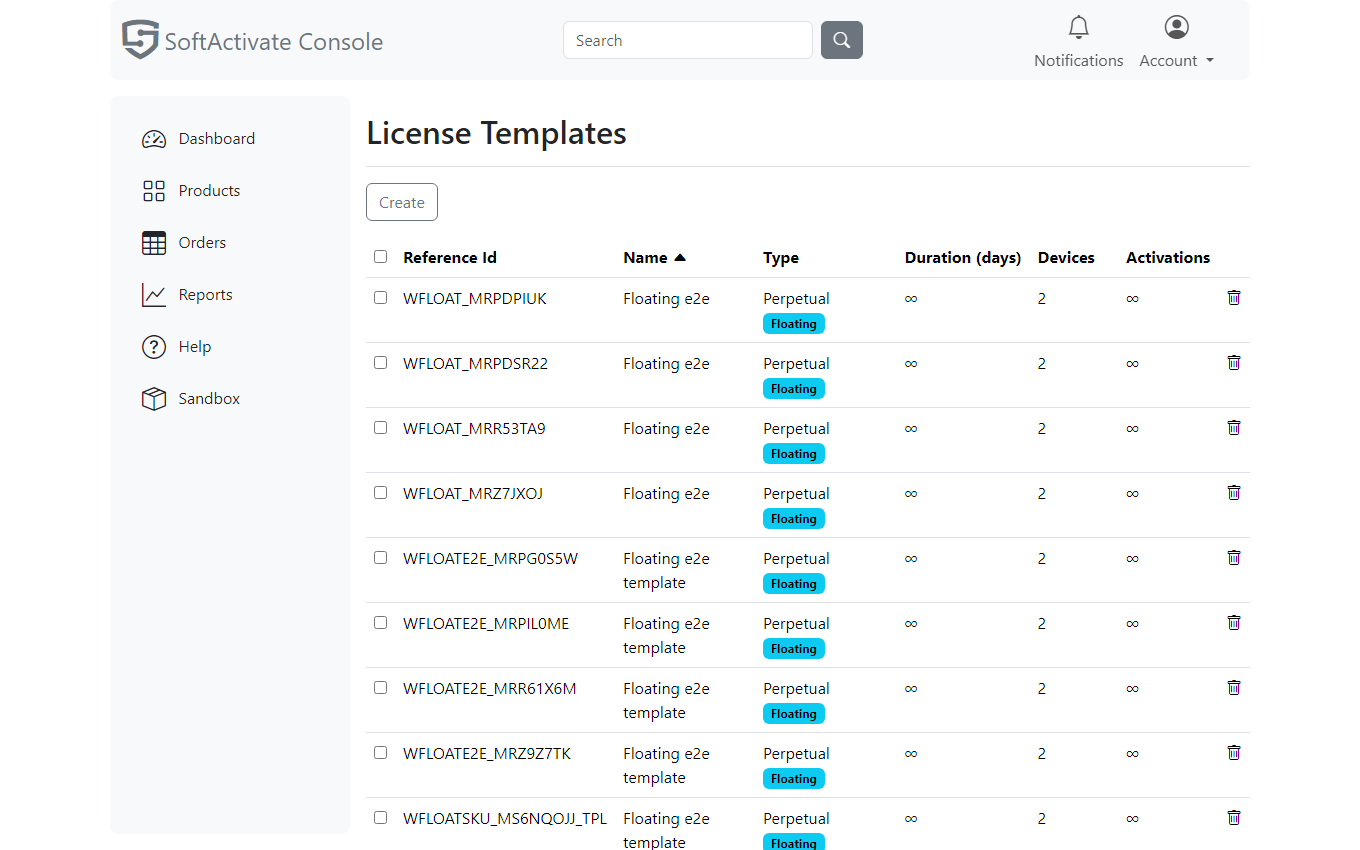
The Manage templates… button next to the picker opens the license templates page, the home of template authoring. Create a template there (type, limits, duration, floating and its lease, metadata), and it appears in every product's picker, labeled with its type. The page also lists, renames, and deletes the reusable records.
A template's Reference Id follows the same rule as a product's: letters, digits
and underscores only (for example, PRO_1YEAR), stored in upper case. The form
applies the rule as you type - a lower-case letter becomes upper-case, and a character
outside the rule (a hyphen, a space, a dot) is not accepted and the field says which
characters are allowed. The id is fixed after creation.
The product keeps its own copy of the picked terms: editing a product's License Terms changes that product only, never other products that started from the same template. Deleting a template never affects existing products, for the same reason. The templates page has no menu entry of its own; you reach it from the product form when you need it.
Custom deals: different terms for one order
The product's terms are what every ordinary sale gets. For a negotiated deal, use Customize License on the order form; it reuses this same page to author terms that apply to one order only, leaving the product untouched.
Deleting a product
Delete from the product's own page (the Delete button next to Edit; the listing deliberately has none). Deletion removes the product from the list and from new orders. Existing orders and licenses are not affected: they carry their own copies of its name and license terms, so history keeps rendering and issued licenses keep activating. If the product was synced to Stripe for online checkout, the Stripe price is not removed automatically; retire that checkout separately.
Practical modeling advice
- Model one set of license terms per licensing behavior, not per price point: "Pro perpetual," "Pro subscription," "Trial 14-day," and "Team floating" are four templates even if you sell ten SKUs over them.
- Model the product you intend to sell first rather than a test one; your integration work then carries over when you upgrade.
- Renaming a product later is safe; ids are stable, and licenses keep working.